How to ETL from a Private RDS without Bastion Hosts or SSH Tunnels
The “Data Access” Standoff
It’s a tale as old as time (or at least as old as the cloud).
The Request: A Data Engineer opens a high-priority ticket: “I need to connect our ETL tool to the production Postgres replica in AWS to pull daily sales data for the new BI dashboard.”
The Blocker: The SRE or Security Engineer looks at the network topology. The RDS instance is in a private subnet—as it should be. It has no public IP address and sits behind a strict “Deny All” ingress rule.
The Standoff: The Data Team asks to “just open port 5432 to these 50 vendor IP addresses.” The Security Team says, “Absolutely not. We aren’t making our production database reachable from the public internet.”
The “Bad” Solutions (and why they fail)
To get around this, teams usually resort to one of three workarounds. All of them introduce more problems than they solve.
Option A: The “Publicly Accessible” Anti-Pattern
You move the database to a public subnet and use Security Groups to whitelist specific IPs.
- Why it fails: It violates the principle of “Defense in Depth.” One misconfigured CIDR block or a compromise at your vendor means your production data is now exposed to the entire internet.
Option B: The SSH Bastion (Jump Box)
You set up a small EC2 instance, manage SSH keys, and create a persistent tunnel.
- Why it fails: It’s incredibly brittle. Tunnels drop constantly. Using tools like
autosshis a hacky fix for a structural problem. Plus, you’ve just added another server that needs patching, monitoring, and auditing.
Option C: VPN or VPC Peering
You attempt to peer your VPC with the vendor’s VPC.
- Why it fails: Massive complexity. You run into CIDR overlaps, routing table headaches, and it’s total overkill just to move some data rows.
A Better Architecture: Inversion of Control
We solved this problem in CI/CD years ago. You don’t open firewalls to let a cloud service reach your build servers; you run a Runner (like a GitHub Actions Runner or GitLab Runner) inside your network that polls for jobs.
Data pipelines should work the exact same way.
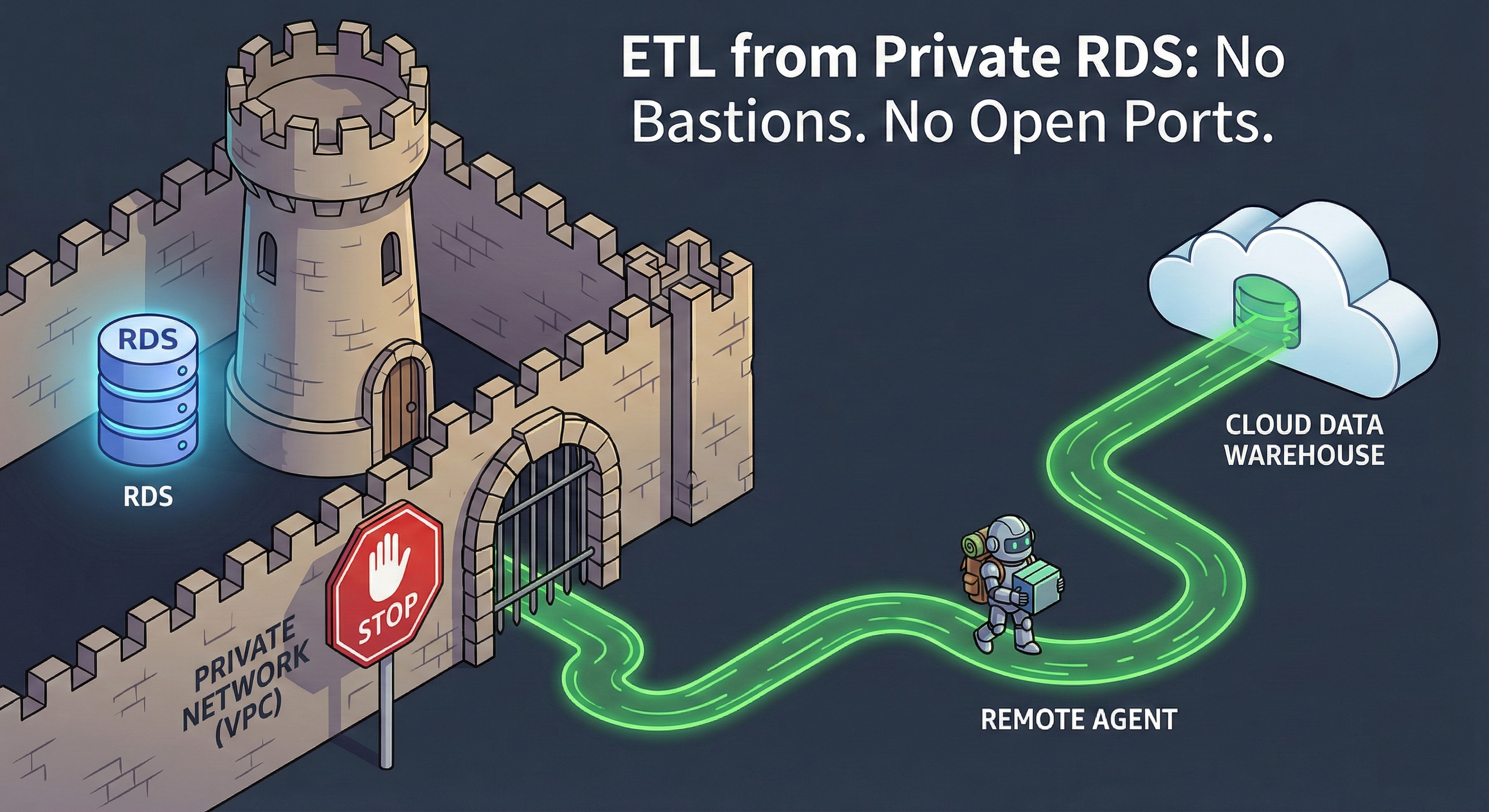
The principle is simple: Don’t poke holes in your firewall to let data out. Run a process inside the firewall that pushes data to its destination.
How the Saddle Data Remote Agent Works
The Saddle Data Remote Agent is a lightweight, Dockerized worker that runs inside your private subnet. It changes the relationship between your infrastructure and the cloud from “Push” to “Pull.”
1. Outbound-Only Connection
The Agent initiates a secure, outbound-only TLS connection to the Saddle Data Control Plane. Your Security Group stays set to Inbound: Deny All. As long as the container has outbound access to https://api.saddledata.io, it works.
2. Zero-Knowledge Credentials
Thanks to our Hybrid Encryption architecture, Saddle Data’s cloud servers never see your database passwords. When a job is queued, the credentials are encrypted using the Agent’s unique public key. Only your Agent, running in your VPC, can decrypt them.
3. Local Streaming
Because the Agent sits right next to your RDS instance, latency is sub-millisecond. It extracts the data locally and streams it directly to your destination (like Snowflake or BigQuery). Your production data rows never pass through Saddle Data’s infrastructure.
Tutorial: Setting it up in 60 Seconds
Step 1: Generate an Agent Key
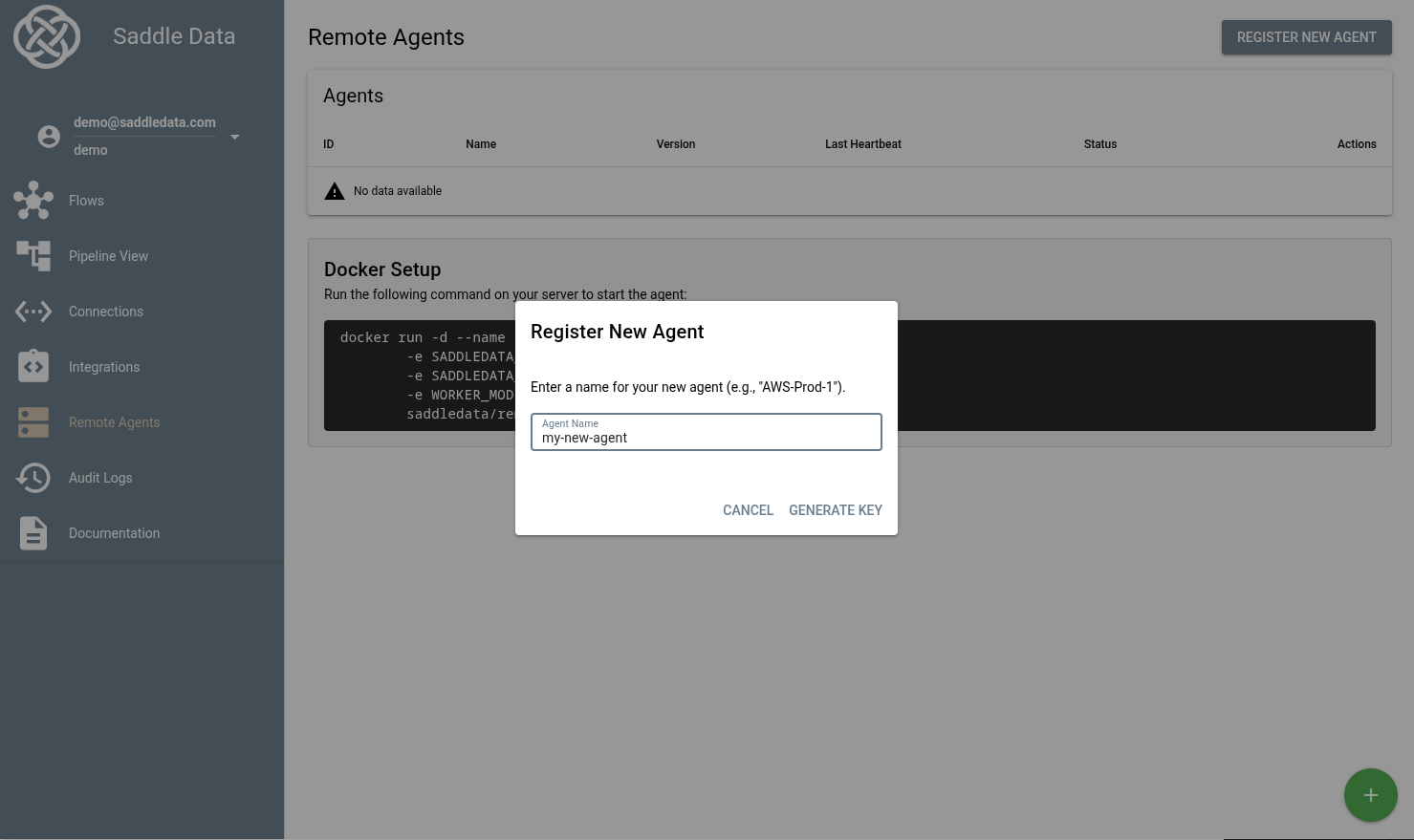
In the Saddle Data UI, navigate to Remote Agents and click Register New Agent. Copy your unique key.
Step 2: Run the Container
Spin up the agent in your private subnet using Docker, ECS, or Kubernetes.
docker run -d --name saddle-worker
  -e SADDLEDATA_API_URL=https://api.saddledata.io
  -e SADDLEDATA_AGENT_KEY=<YOUR_AGENT_KEY>
  -e WORKER_MODE=AGENT
  saddledata/remote-agent:latest
Step 3: Build your Flow
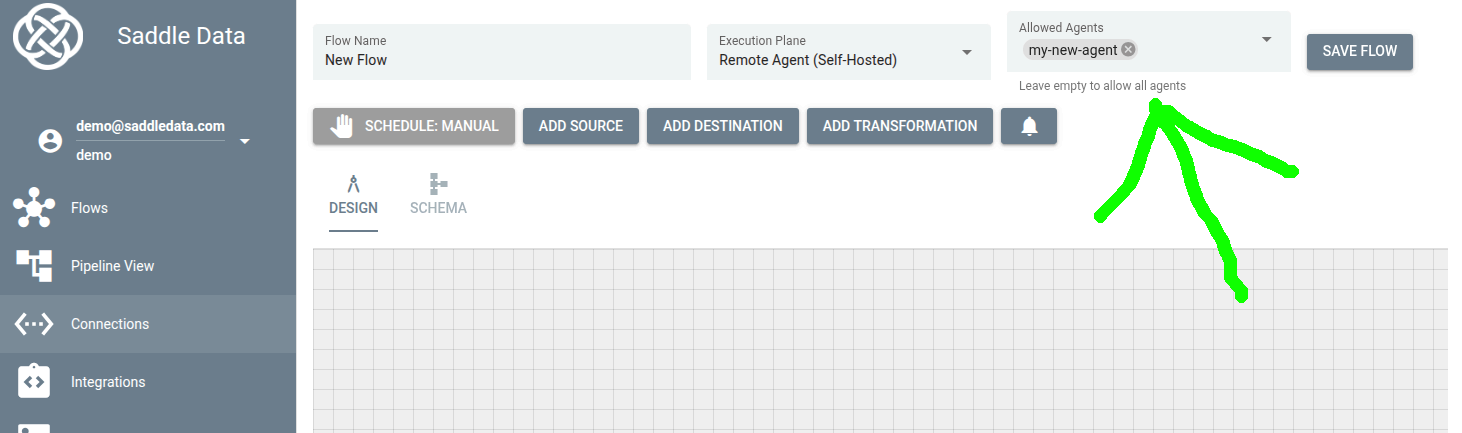
In the Flow Editor, simply set the Execution Plane to your new Remote Agent. Saddle Data handles the rest.
Conclusion: A Win-Win-Win
By moving the “Data Plane” inside your network, you satisfy every stakeholder:
- SRE Win: No open inbound ports, no Bastion hosts to maintain, and no SSH keys to rotate.
- Data Team Win: Immediate access to private data with lower latency and higher reliability.
- Compliance Win: Data stays within your security boundary until it hits your encrypted warehouse, satisfying SOC2 and HIPAA requirements.
Ready to secure your pipelines? Sign up for Saddle Data and deploy your first Remote Agent today.